Washi Tape Canva Frame Template: Editable Designs for Digital Projects
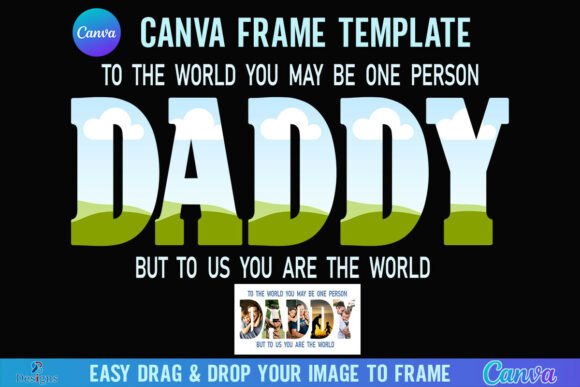
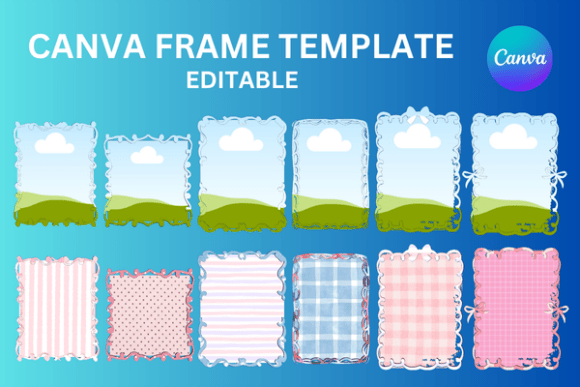
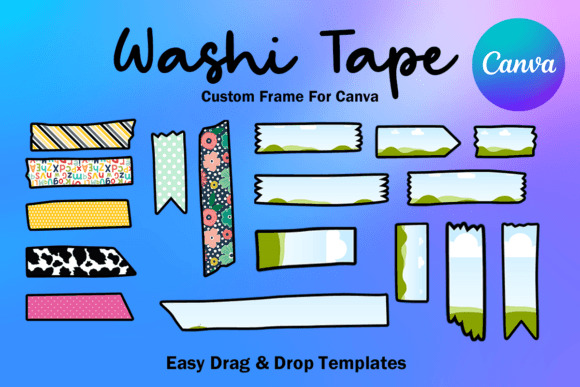
That distinct, tactile look of Japanese washi tape—those playful, semi-transparent patterns with torn edges—has a unique ability to make digital designs feel handmade and warm. Translating that charm into a functional digital asset is where the Washi Tape Canva Frame Template Editable collection comes into play. This is not a static image file. It is a dynamic set of 17 custom-made Canva frame templates, delivered via a single PDF link, designed for creators who need that authentic, crafty aesthetic without the limitations of a fixed PNG or SVG.
The core appeal of these templates lies in their personality. They evoke a sense of nostalgia, creativity, and personal touch. Imagine framing a photo for a blog post, highlighting a key testimonial in a social media graphic, or adding a decorative border to a product label. The washi tape effect provides a visual shorthand for "made with care" and "creative detail." Unlike a rigid, geometric border, these frames feel organic and slightly imperfect, which can be a powerful tool for brands and creators aiming to appear approachable and genuine. This editable Canva frame template set gives you the visual style without requiring you to manually cut and position tape in your design software.
Practical Applications Across Creative Projects
The versatility of these templates is a significant strength. For social media graphics, a washi tape frame can make a promotional post or a quote graphic stand out in a crowded feed, adding texture and visual interest that a simple colored border cannot. Bloggers and content creators can use them to frame featured images, create custom Pinterest pins, or design printable planner stickers with a cohesive, handmade theme. The style aligns perfectly with lifestyle, crafting, stationery, and food niches where a personal touch is valued.
Beyond social media, consider their use in packaging design for small businesses. A washi tape border on a thank-you card insert, a care instruction label, or a product tag can reinforce a brand identity centered on artisanship and attention to detail. For digital products, such as online course materials, eBook chapter title pages, or downloadable worksheets, these frames can break up monotonous layouts and guide the reader's eye in a friendly way. They function as a creative font for your visual layout—adding character and structure simultaneously.
Design Considerations and Effective Implementation
Working with an editable Canva frame template requires a thoughtful approach to maintain professionalism. The first step is evaluating project fit. This style excels in contexts where personality and approachability are key. It might be less suitable for ultra-corporate, minimalist, or high-tech branding where clean lines and stark professionalism are paramount. Always test the frame with your actual content—text, images, or graphics—to ensure it enhances rather than overwhelms.
A crucial aspect of using these templates effectively is understanding visual hierarchy. The washi tape frame is a decorative element. It should complement your primary content, not compete with it. Use it to draw attention to a specific section, like a call-to-action button or a featured image, but ensure your main message remains clear. Consider the color palette of the tape patterns. Do they align with your existing brand colors? If not, the transparency of the layer allows you to adjust the opacity or blend it subtly with your background.
Since this is a Canva template, the process is designed for ease. You simply click the link in the provided PDF, and the frames open directly in your Canva account. From there, the drag-and-drop functionality allows you to insert your photos or graphics into the frame placeholders. You can scale the entire frame up or down to fit your Letter Size 8.5*11 inches document or any other dimension you're working with. This flexibility is a major advantage over fixed-size design assets.
Choosing and Testing Your Design Assets
When you download this Washi Tape Canva Frame Template Editable set, you're investing in a specific design aesthetic. Evaluate the 17 included variations. Do they offer enough variety in pattern, color, and tape "width" to suit your different projects? A good collection will provide options that range from subtle and neutral to bold and colorful.
While these are frame templates, not a premium font, the same principles of pairing and consistency apply. Think of the washi tape as a complementary design element. Pair it with clean, sans serif fonts for a modern contrast, or with a handwritten font to double down on the handmade feel. The goal is to create a cohesive brand identity where all elements—typography, imagery, and decorative frames—tell a consistent story.
Remember, this is a digital file. You are not receiving physical tape or props. The value is in the editable, scalable, and transparent design layer that integrates seamlessly into your digital workflow. It’s a tool for enhancing your editorial design, strengthening your logo design applications with unique borders, or elevating your web design mockups. By understanding its strengths and applying it with intention, you can add a layer of tactile charm to your digital presence that resonates with your audience.