Alphabet Letters Editable Canva Frame: Your Design Shortcut
What Exactly Is an Editable Canva Frame?
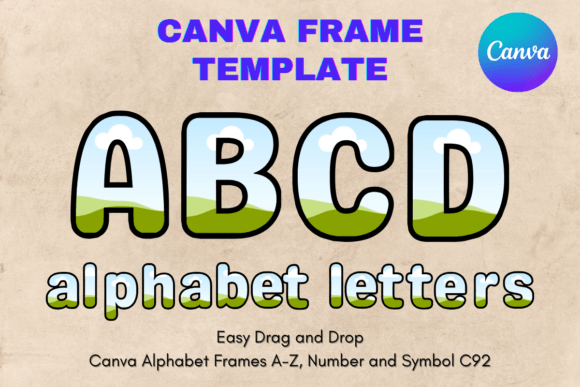
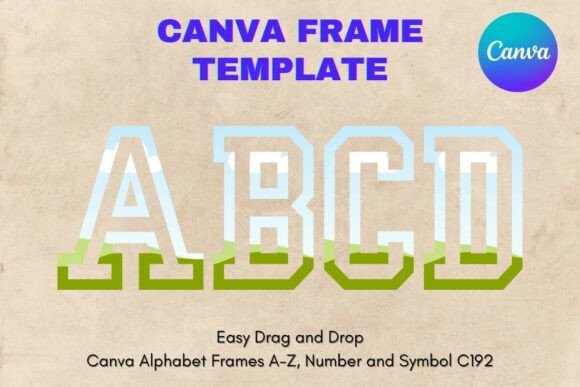
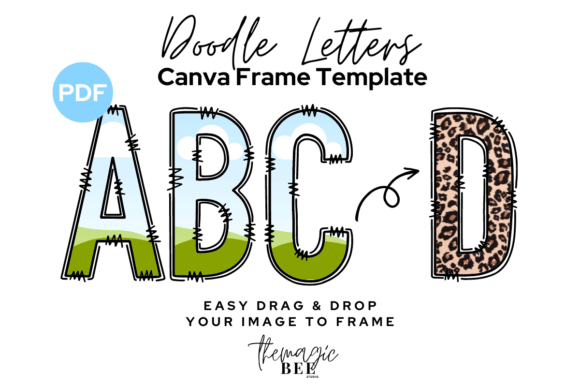
Forget the static, one-size-fits-all design templates of the past. An Alphabet Letters Editable Canva Frame is a dynamic design asset that merges the classic appeal of typography with modern, user-friendly editing. At its core, it's a set of letter shapes, each designed as a "frame" within the Canva platform. Think of it as a stencil or a window for your creativity. You receive a PDF file that links directly to a Canva template. Once opened, you can drag and drop any image, pattern, color, or texture directly into each letterform. The letter itself becomes the container, instantly filled with your chosen visual. This is fundamentally different from a standard PNG overlay; it's an integrated, interactive component of your design process.
The visual style of these frames can range widely. You might find clean, geometric sans-serif letters perfect for a minimalist brand, or flowing, organic script letters ideal for wedding invitations. The "doodle" style, in particular, offers a hand-drawn, imperfect charm that feels authentic and approachable. This style works wonders for projects that need to convey warmth, creativity, or a personal touch. The overall appeal lies in this versatility. It’s not just a creative font; it's a blank canvas that adapts to your specific project's aesthetic, whether that's professional, playful, rustic, or modern.
Practical Applications for Creators and Brands
The real power of an Alphabet Letters Editable Canva Frame is unlocked when you apply it to tangible projects. For social media managers and content creators, these frames are a game-changer. Imagine creating a bold, textured headline for an Instagram post where each letter showcases a different product image or a subtle brand pattern. It instantly grabs attention in a crowded feed. For logo design explorations, especially for small businesses or personal brands, you can mock up monogram logos or wordmarks with incredible speed, testing how a client's brand photos or textures look integrated into the letterforms.
For entrepreneurs and small business owners, the applications are equally practical. Use them to design eye-catching headers for email marketing campaigns, create unique promotional graphics for a sale, or develop standout presentation slides. In packaging design, imagine a product name where the letters are filled with the actual ingredient pattern—coffee beans for a café, leaves for a botanical brand. For bloggers and publishers, these frames offer a way to create consistent, branded chapter headings for digital PDFs or visually striking featured images for articles. The key is that it provides a high-level design effect without requiring advanced software skills, making professional-looking design assets accessible to everyone.
Integrating Frames into Your Design Workflow
Adopting a new design asset requires a thoughtful approach. First, consider the project's goals and audience. A whimsical, hand-drawn frame might be perfect for a children's birthday invitation but less suitable for a corporate financial report. Evaluate the personality of the Alphabet Letters Editable Canva Frame itself. Does its style align with your brand identity or the message you need to communicate? Before committing to a full project, test it. Open the template in Canva and experiment with different images. See how a dark photo looks versus a light, airy texture. This quick test will tell you if the frame has the versatility you need.
Think about font pairing as well. If you're using the framed letters for a headline, you'll need a complementary typeface for body copy. A bold, decorative frame often pairs best with a simple, clean sans serif font or a classic serif font to ensure readability. Avoid pairing it with another highly stylized script font or handwritten font, as this can create visual chaos. The goal is to create a clear visual hierarchy. The framed letter draws the eye, while the supporting text delivers the information. This balance is crucial for effective web design, editorial design, and any marketing material where clarity is paramount.
Finally, understand what you're getting. The product is an instant digital download—a PDF with a Canva link. This means you need an internet connection and a Canva account (free or Pro) to use it. It’s a template editable within one specific platform. Always check the licensing for any commercial font or asset you use. Most reputable sellers provide clear terms for commercial use, which is essential if you're creating designs for clients or selling products. By treating this asset as a component in your larger toolkit, not a magic solution, you can leverage its strengths to produce distinctive, engaging, and professional work that truly stands out.