Mastering Father's Day Designs: The Daddy Canva Frame Template
Capturing the essence of Father's Day in a single image is a challenge many creators face. You need something that feels personal, yet polished enough for a professional brand post or a high-quality print product. This is where the Father's Day Daddy Canva Frame Template enters the workflow. It is not just a static image file; it is an interactive design asset built specifically for Canva. When you purchase this product, you receive a ZIP file containing a PDF. Inside that PDF is a direct link that opens the frame template right inside the Canva editor. This approach bridges the gap between a rigid pre-made graphic and a fully customizable workspace. The template is set to a substantial 4000x4000 px, making it a robust canvas for high-resolution projects. Whether you are a small business owner creating a social media promotion or a hobbyist designing a personalized gift, this template streamlines the creative process.
Understanding the Frame Structure
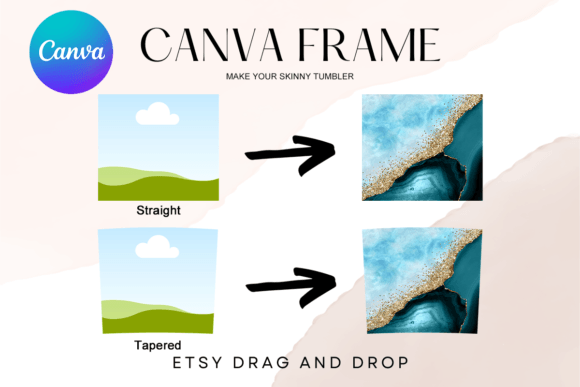
The core utility of this design asset lies in its "frame" functionality within Canva. For those unfamiliar with Canva’s native tools, a frame acts as a container. You can take any image—whether it is a stock photo, a candid shot from your phone, or a custom illustration—and simply drag it over the frame. The software automatically "masks" the image, cropping it to fit the specific shape and design of the frame. The Father's Day Daddy Canva Frame Template is designed with specific visual cutouts and decorative borders that celebrate fatherhood. It features typography and graphic elements that are baked into the template structure, ensuring that the layout remains professional.
Because this is a digital product, there are no physical materials involved. It is a purely digital file designed for screen-based editing. It is crucial to note that this file is not an SVG. This distinction matters for users who might be considering cutting machines. This template is not suitable for use with Cricut Design Space or Silhouette cutting machines. Its purpose is visual design, not physical cutting. You are working with a rasterized or vector-based frame intended for export as a JPG or PNG. This makes it ideal for web design, social media graphics, and digital printables rather than vinyl decals or stencils.
The Canva Ecosystem: Access and Requirements
To utilize the Father's Day Daddy Canva Frame Template effectively, you must understand the ecosystem it lives in. The most important requirement is a FREE Canva account. You do not need a subscription just to open, edit, and customize the template. This accessibility makes it a fantastic resource for entrepreneurs and hobbyists who are budget-conscious but still want premium font quality and professional layouts. Once you click the link provided in your downloaded PDF, the template will populate in your Canva dashboard.
However, the export options depend on your account tier. If you want to download the final design as a standard JPG or PNG with a solid background, the free version of Canva handles this perfectly. But, if your project requires a transparent background—for example, if you want to overlay the "Daddy" text and frame borders onto a complex background in another software like Photoshop or InDesign—you will need a Canva Pro version or higher. This is a standard limitation of the Canva platform regarding transparency exports, not a flaw in the template itself. Understanding this distinction ensures you can plan your production pipeline correctly, whether you are designing for commercial use or personal keepsakes.
Strategic Applications for Designers and Marketers
For the designer, marketer, or content creator, the Father's Day Daddy Canva Frame Template is a tool for speed and consistency. In the fast-paced world of social media graphics, timing is everything. You cannot spend hours kerning text or aligning elements when a holiday is approaching. This template provides the visual hierarchy immediately. The "Daddy" typography acts as the focal point, likely utilizing a bold display font or a warm script font style that conveys emotion. This allows you to focus on the photography.
Consider a small business owner running a promotion for Father's Day. They can take a product photo—perhaps a watch, a toolset, or a bottle of whiskey—and drop it into the frame. Instantly, the image is branded for the holiday. This consistency is vital for brand identity. Using a cohesive style across all Father's Day marketing materials builds recognition. The template ensures that the typography and layout remain uniform, which speaks to professionalism.
Furthermore, bloggers and publishers can use this asset to create featured images for articles about gift guides or family stories. A well-framed image increases engagement. It tells the reader that the content inside is curated and high-quality. The 4000x4000 px size is particularly useful here; it is large enough for editorial design layouts and can be cropped down for various aspect ratios without losing quality.
Visual Personality and Brand Perception
Every design asset carries a "vibe." The Father's Day Daddy Canva Frame Template likely leans into themes of warmth, nostalgia, and strength. Depending on the specific design you choose, it might utilize vintage textures or clean, modern typography. The personality of the frame influences how the audience perceives the message. A rugged, textured frame might suit a brand selling outdoor gear, while a sleek, minimalist frame might fit a luxury service provider.
When you drop an image into this frame, you are not just adding a border; you are adding context. You are telling the viewer, "This is a celebration of Dad." This immediate context improves readability and message retention. The viewer doesn't have to guess the theme. This is the power of effective graphic design—it communicates instantly. For crafters and hobbyists, this allows you to create professional-looking cards or posters that rival store-bought options. You control the image, so you control the sentiment.
Practical Workflow Tips
To get the most out of this asset, treat it as a starting point, not a finished product. Once you have the frame open in Canva, look at the color palette. Does it match your brand identity? If not, Canva allows you to change the colors of the template elements easily. This flexibility is key. You can adapt the creative font colors to match your company’s hex codes, ensuring that the design feels native to your brand rather than "pasted on."
Also, think about the images you are using. High-contrast photos work best inside frames. If the frame has intricate details, ensure your subject is centered and distinct. Test the font pairing if the template allows for text editing. While the template provides a suggested style, you might find that a different serif font or sans serif font fits your specific copy better. However, be cautious: the original designer likely chose a specific combination for its visual hierarchy. If you aren't confident in typography, stick to the provided layout.
Finally, consider the medium. If you are printing this for a physical frame, the high resolution ensures crisp edges. If you are using it for packaging design or a digital ad, ensure you export at the highest quality setting. This asset is a bridge between your raw content and a polished, holiday-ready presentation. It solves the "blank canvas" problem, allowing you to produce high-quality, emotionally resonant designs for Father's Day efficiently.