Unlock Creative Control with Specimen Slide Canva Frames
There is a specific kind of frustration that hits when you find a beautiful piece of clipart or a design asset, but you can't figure out how to insert your own artwork cleanly into the center of it. We have all been there—struggling with masking tools, layering, and alignment. The Specimen Slide Canva Template Set #2 removes that friction entirely. It is not just a collection of images; it is a functional toolkit designed to streamline your workflow, allowing you to focus on the creative output rather than the technical headache of composition.
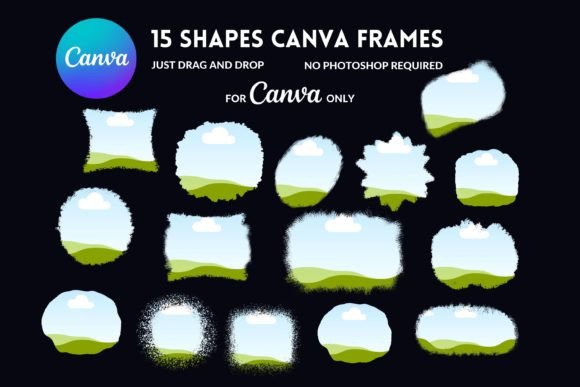
This template set bridges the gap between complex design software like Photoshop and the accessibility of Canva. By utilizing Canva’s native "Frames" feature, this kit allows you to take any digital paper, pattern, or custom illustration and snap it perfectly into a pre-cut specimen shape. Whether you are a seasoned graphic designer looking to speed up your editorial design process or a hobbyist scrapbooker wanting to create personalized journaling cards, this resource offers a practical, hands-on solution.
The Anatomy of the Design: Visuals and Aesthetic
Visually, the Specimen Slide Canva Template Set #2 evokes a sense of curiosity and nostalgia. The "specimen" aesthetic is trending heavily in brand identity work right now, particularly for brands that want to convey authenticity, nature, or a "lab-inspired" vibe. The shapes mimic the look of vintage microscope slides or botanical research cards, offering a structured yet organic feel.
The personality of these templates is eclectic. They can look scientific and sterile if paired with sans-serif fonts and monochrome palettes, or they can look whimsical and vintage when filled with floral patterns and distressed textures. This versatility is their greatest strength. They serve as a container for your creativity, acting as a modern typography frame that grounds your artwork. The lines are clean, but the concept allows for messy, layered, and textured graphic design applications.
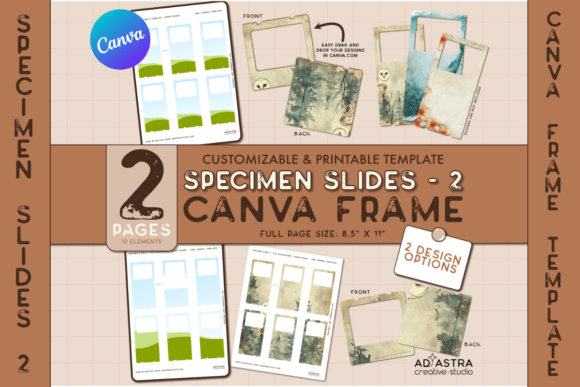
Because the kit includes two pages of these customizable Canva Frames, you have enough variety to create a cohesive collection without repetition. This is essential for anyone creating a series of products, such as a set of planner stickers or a cohesive social media feed. The visual appeal lies in the structure—it forces a composition that looks professional, even if the artwork inside is chaotic or abstract.
Practical Applications: Where This Template Excels
Understanding where to deploy the Specimen Slide Canva Template Set #2 is key to getting your money's worth. The applications span across both digital and print mediums, making it a versatile addition to your design assets library.
Journaling and Scrapbooking
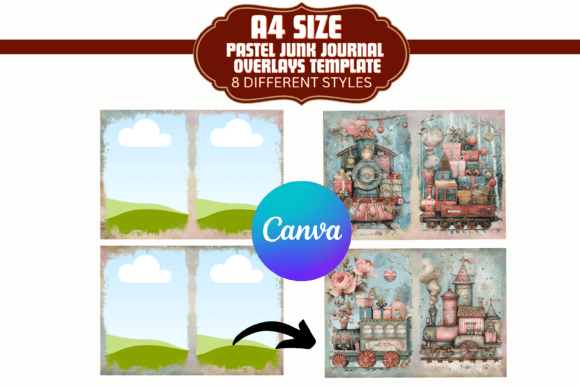
For the planner community, this is a game-changer. Instead of buying static stickers that might not match your color scheme, you can use these frames to create custom journaling cards. By applying your own digital papers, you ensure that your stickers match your brand identity perfectly. You can create dashboard dividers, functional checklist boxes, or decorative focal points for your weekly spread.
Digital Marketing and Social Media
In the realm of social media graphics, consistency is king. If you are a content creator or a small business owner, you can use these frames to create a recurring visual motif for your Instagram stories or Pinterest pins. For example, a botanist could use these frames to display different plant care tips, ensuring every post looks uniform. The "specimen" look works exceptionally well for packaging design mockups or product reveals, giving your digital products a tangible, tactile appearance.
Professional Branding and Logo Design
While not a font in the traditional sense, these templates influence typography and layout. A designer might use the specimen shapes as background elements for a logo design presentation. By placing the client's logo inside the frame, you create a "badge" or "seal" effect that implies heritage and quality. It is an excellent tool for creating secondary brand marks or watermarks that feel distinct from standard serif font or sans serif font lockups.
Technical Execution and Workflow Efficiency
The true value of the Specimen Slide Canva Template Set #2 lies in the user experience. Canva is known for its drag-and-drop interface, but masking (clipping an image into a shape) can sometimes be unintuitive for beginners. This template simplifies that. You are essentially given a pre-configured mask.
How to Use the Frames
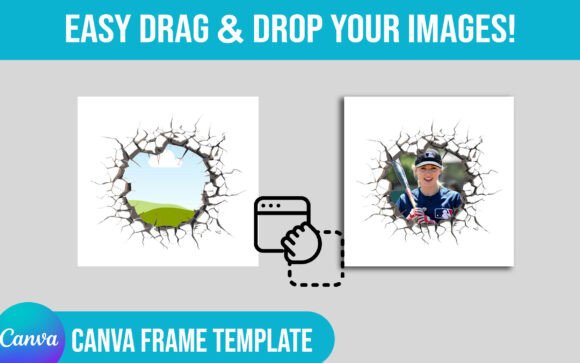
Once you access the template via the included PDF guide, the process is intuitive. You simply locate the frame in the template. Then, you drag an image from your uploads or Canva’s library and hover it over the frame. When you see the frame highlight, drop the image. Canva automatically clips the image to the shape of the specimen slide. You can double-click to reposition or scale the image within the frame without breaking the design.
This efficiency is vital for professionals. If you are a publisher creating a catalog, you don't want to spend 20 minutes cropping images in a separate app. You want to do it in one environment. This kit respects that workflow. It allows for multiple design and size options, meaning you aren't locked into a rigid layout. You can resize the frames, layer them, and edit individual elements to suit the specific dimensions of your project, whether it's an A5 planner insert or a wide Pinterest graphic.
Strategic Design Considerations
When integrating the Specimen Slide Canva Template Set #2 into your projects, think about the interplay between the frame and the content. This is where the principles of visual hierarchy come into play.
- Contrast and Texture: If you are using a highly detailed, noisy background inside the frame (like a vintage paper texture), pair it with a clean sans serif font for any accompanying text. This ensures readability. Conversely, if the content inside the frame is minimal, you can afford to use a more expressive script font or handwritten font for headlines.
- Color Theory: The "glass" or "border" elements of the specimen slides can often be recolored. Use this to your advantage to create brand consistency. If your brand colors are sage green and cream, recolor the frame borders to match. This turns a generic template into a custom piece of premium font style design work.
- Layering: Don't be afraid to layer these frames. You can place a specimen slide behind a text block to create a highlight effect, or layer two frames with different transparency settings to create depth. This mimics the look of expensive print design software effects.
The kit also offers two creative options: applying a cohesive design across all items in a sheet or tailoring individual items. This is particularly useful for packaging design. If you are creating a set of thank-you cards for your online store, you might want the front of the card to be unique (tailored designs) but the back to be identical (cohesive design). This template accommodates both needs without requiring you to start from scratch.
Accessibility and Getting Started
One of the biggest hurdles in design is software cost. The Specimen Slide Canva Template Set #2 is built for the free version of Canva. You do not need a Pro subscription to use the frames or the drag-and-drop features. This democratization of design tools is what makes templates like this so powerful. It allows entrepreneurs and hobbyists to create commercial font and design-level assets without the overhead of Adobe Creative Cloud subscriptions.
The included PDF guide ensures that even those who have never used Canva frames before can get started immediately. It provides a direct link, eliminating the search time, and includes a "How-to" section that demystifies the technical process. This focus on user support is a hallmark of a well-designed digital product.
Ultimately, the Specimen Slide Canva Template Set #2 is more than just a set of shapes. It is a creative catalyst. It provides the structure needed to organize chaotic ideas into polished, professional visuals. Whether you are building a brand identity, designing a planner, or creating web design