Button Pin Template: Your Canva Badge Design Starter
There’s a certain magic in a well-designed button pin. It’s a small, portable piece of art, a conversation starter, a brand ambassador that travels on jackets, bags, and lanyards. But for many creators, the leap from a great idea to a finished, professional-looking badge can feel daunting. You need the right software, the right dimensions, the right print setup. This is where a dedicated Button Pin Template for Canva shifts the process from technical hurdle to creative flow. It’s not just a file; it’s a structured playground designed to get your artwork onto a physical product efficiently.
More Than a Circle: The Anatomy of a Smart Template
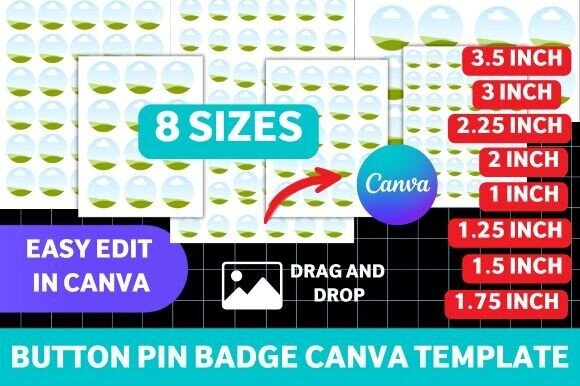
At its core, this Canva Badge Template is a collection of eight pre-sized circular layouts, ranging from the classic 1-inch pin to a larger 3.5-inch badge. Each template is built with precise guidelines. You’ll see a central safe zone for your core artwork, an outer bleed area that accounts for the slight curvature during production, and a trim line that defines the final visible edge. This structure is the difference between a design that looks crisp and professional and one where text gets awkwardly cut off at the edges. The visual personality of the template itself is intentionally neutral—it’s a clean, utilitarian canvas. Its appeal lies in its functionality, acting as a silent guide that ensures your vibrant, expressive artwork translates perfectly to a small, wearable format.
The real value emerges in its application across different creative fields. For a small business owner launching a product line, these templates are essential design assets. They allow you to quickly mock up badge designs for a new collection, ensuring brand consistency from the smallest accessory to the main product. A graphic designer working on a client’s brand identity can use them to create promotional merchandise that feels cohesive with the broader visual system—matching the logo, color palette, and typography style used in web and print materials. Event planners and marketers find them invaluable for creating attendee badges, volunteer pins, or speaker recognition awards that are both functional and on-brand. Even crafters and hobbyists benefit, as the template removes the guesswork of sizing and bleed, letting them focus purely on the fun part: the art.
From Digital Canvas to Tangible Product: A Practical Workflow
Working with the Button Pin Template is a masterclass in practical design. You start in Canva, where the template lives as an editable file. Dragging and dropping your pre-existing artwork—whether it’s a hand-lettered phrase, a digital illustration, or a logo—into the circular layout is intuitive. You can adjust colors, add textures, or layer elements directly within the safe zone. This is where considerations of visual hierarchy come into play. On a small surface, clarity is king. A bold, simple display font might work perfectly for a 1-inch pin, while a slightly more detailed sans serif font could be legible on a 2-inch badge. The template forces you to think critically about scale and readability, a valuable exercise for any designer.
Once your design is finalized, the template provides print-ready files. This is a crucial step that separates hobbyist printing from professional output. Whether you’re using a home printer with a badge-making machine or sending files to a professional service, the correct resolution, color mode (CMYK for print, though many home services still use RGB), and bleed settings are already configured. This eliminates common print errors and ensures the colors you see on screen are what you get on the pin. The process mirrors other areas of editorial design or packaging design, where understanding technical specifications is as important as the creative vision. By using a pre-built template, you’re not just making a badge; you’re adopting a professional workflow that minimizes revision cycles and material waste.
Building Recognition in a Small Format
Think of the button pin as a microcosm of your larger brand identity. The consistency it creates—using the same core assets across merchandise, social media graphics, and web design elements—builds recognition. A customer who sees your distinct color palette and typographic style on a pin will subconsciously connect it to your Instagram feed or your product packaging. This is the power of cohesive design, and it starts with using the right tools to maintain that consistency.
When choosing your artwork for the Canva Badge Template, consider its versatility. A strong, iconic logo or a simple, impactful phrase often works better than a highly detailed scene. Test your design at the actual print size on screen. Zoom in to check for pixelation, especially if you’re using raster images. For text, pair a headline creative font with a simpler serif font for any necessary secondary information, but keep the latter minimal. The goal is immediate impact. This template isn’t just for one-off projects; it’s a reusable design asset in your toolkit. It empowers you to produce professional merchandise quickly, respond to trends, or create limited-edition runs for your community. In a world saturated with digital noise, a tangible, well-crafted pin can be a remarkably effective touchpoint, and starting with a solid template is the first step to making it count.